Claiming your UIndy account will give you access to UIndy systems, including but not limited to: Google Workspace, Brightspace, UIndy Self-Service, campus print release stations, lab computers, Office 365, and online library services.
Claim your UIndy account
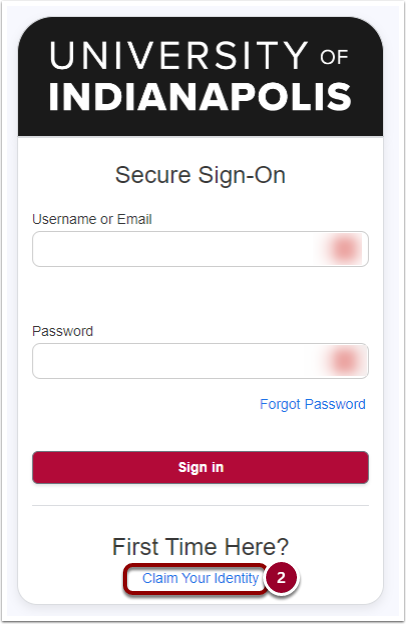
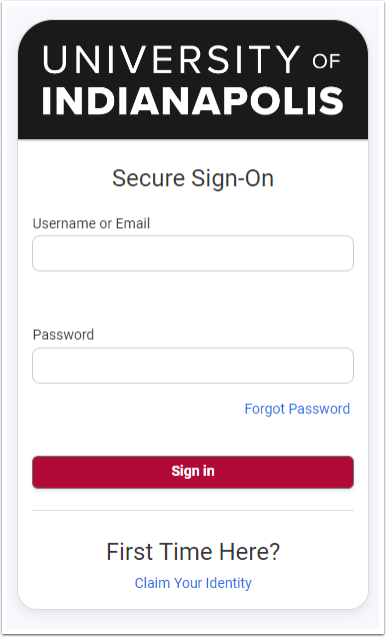
- Navigate to https://accounts.uindy.edu.
- Click the Claim Your Identity link.
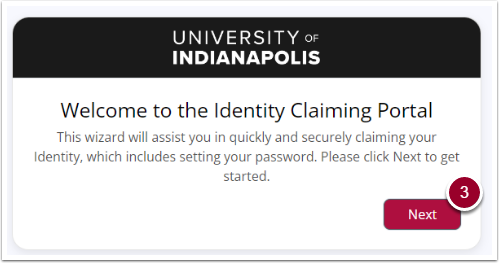
Welcome to the Identity Claiming Portal
A welcome box will appear.
- Click the Next button.
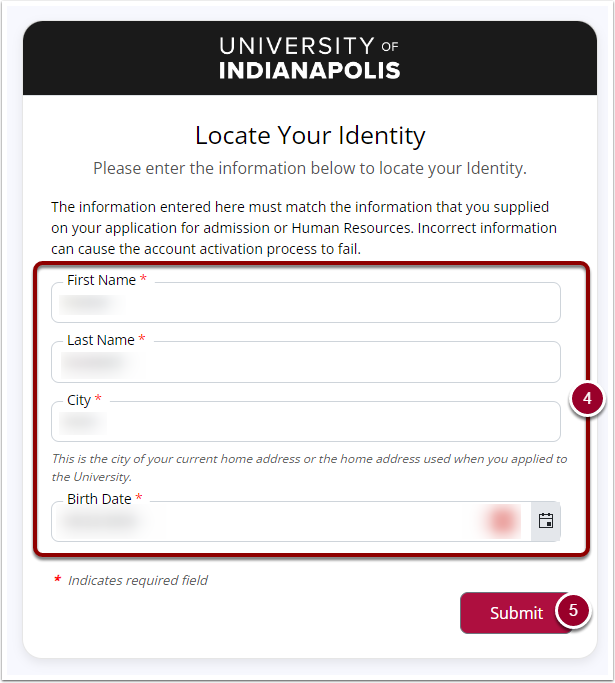
- Enter your
First Name,Last Name,City, andBirth Datein the respective fields (information must match what was on your UIndy application for admission). - Click Submit when you are finished.
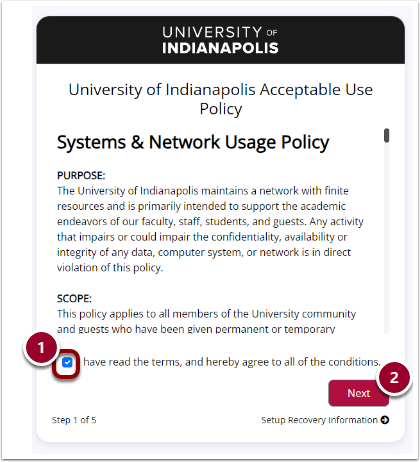
Review and accept terms of use
- Read through the Systems & Network Usage Policy and check the box next to I have read the terms, and hereby agree to all of the conditions.
- Click the Next button.
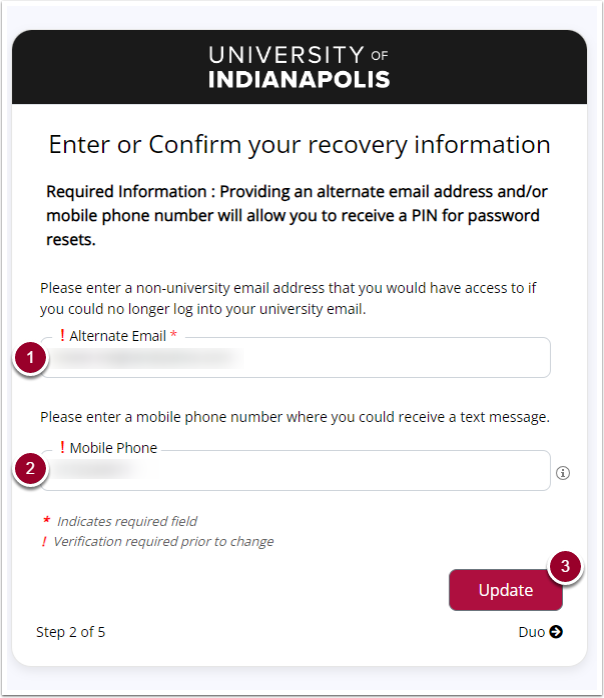
Enter or Confirm your recovery information
- Enter your
alternate emailin the Alternate Email field (required). - Enter your
mobile phone numberin the Mobile Phone field (for US phone numbers only; international phone numbers are not supported).
- Click the Update button.
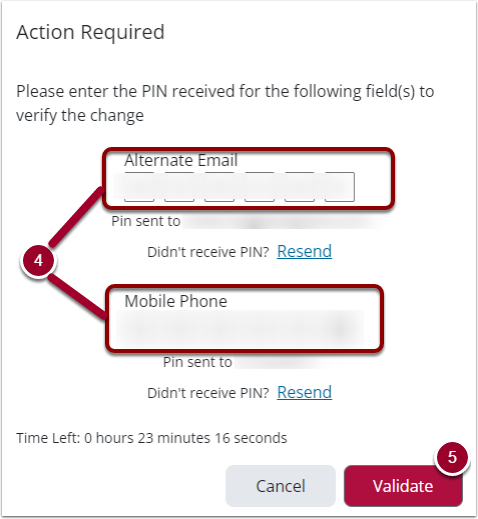
- You will receive an email confirmation with a PIN to your alternative email (and SMS message if mobile phone provided). Enter the corresponding
PINSin each appropriate field. - Click the Validate button.
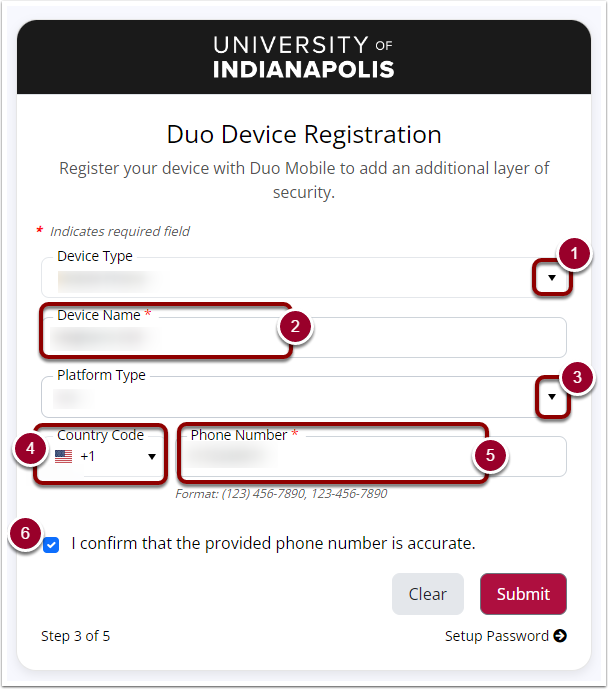
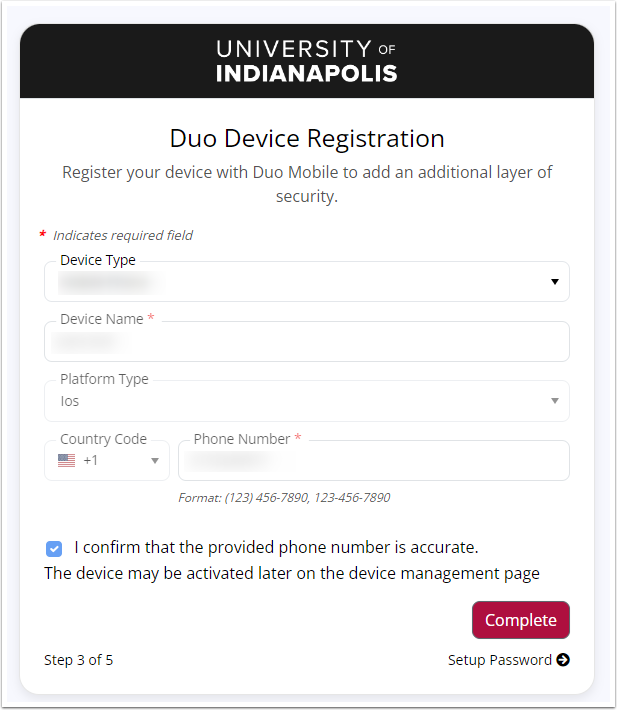
Duo Device Registration
- From the drop-down menu, select your personal device type.
- Enter your Device Name (ie
your first namecell). - Select the Platform Type from the drop-down menu.
- From the drop-down menu, select your mobile device's Country Code
- Enter your 10-digit Phone Number in the appropriate field.
- Check the box next to I confirm that the provided phone number is accurate.
- Click the Submit button.
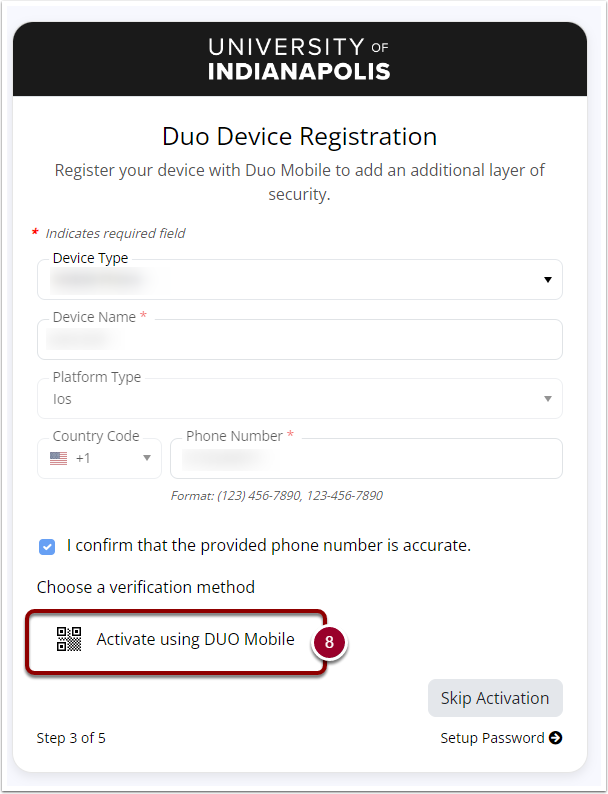
- Choose a verification method appears. Click on the Activate using DUO Mobile button.
If you do not have a smart phone
If you do not have a smart phone, you can select Skip Activation button and it will send SMS messages every time you need to verify your identity. We do not recommend doing this. Click the Complete button.
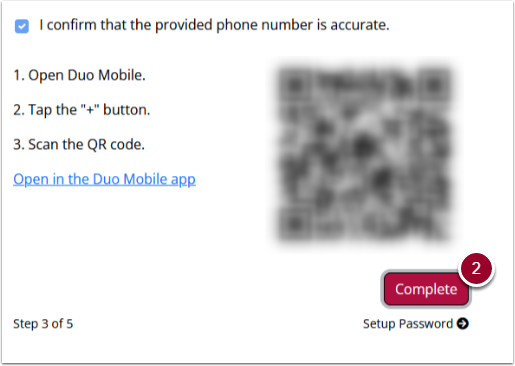
Download Duo Mobile
- Download Duo Mobile App by following the directions on your screen. With your mobile phone, open the Duo Mobile App and scan the QR code on your computer screen.
- Click the Complete button.
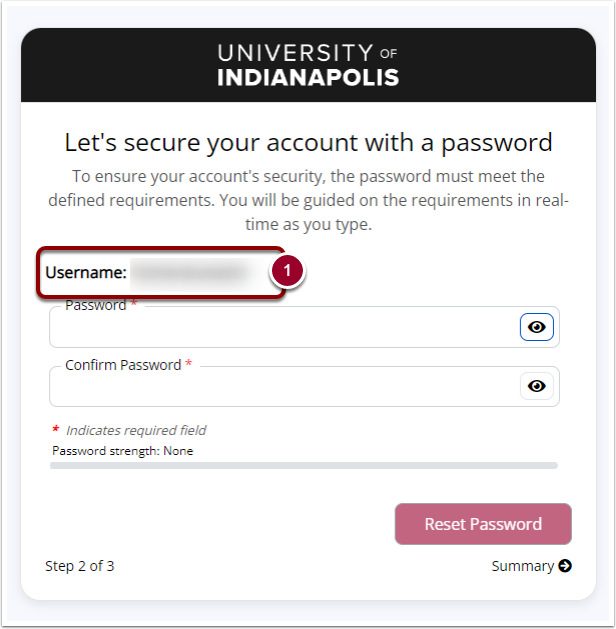
Your UIndy Username
- Your Username is listed here. Please make note of your UIndy username.
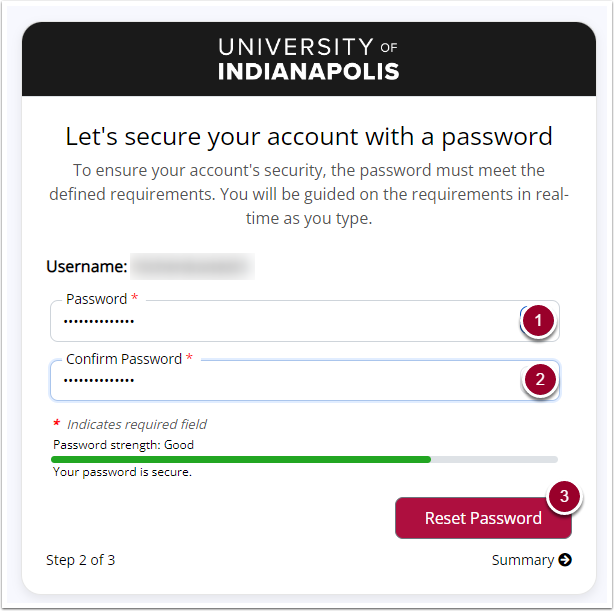
Let's secure your account with a password
- Enter your
passwordin the Password field. - Re-enter the same
passwordin the Confirm Password field. - Click the Reset Password button.
Identity Claim Complete
A message will appear that your account has been claimed. You will be redirected to the Account login page.
New to UIndy
Now that you have your UIndy account:
- See New to UIndy (Student) or New to UIndy (Employees & Associates) for information about accessing UIndy systems and other helpful resources.
- Check your personal alternate email account for "Welcome to the University of Indianapolis" confirmation email that lists your UIndy email address & UIndy username.