UIndy contracts all bookstore services to Barnes and Noble College (BNC). Faculty can access the Barnes & Noble Campus (BNC) portal to submit and manage book and other resources for your courses.
- Navigate to https://my.uindy.edu and search for
textbooks. Click the Select Course Materials link.
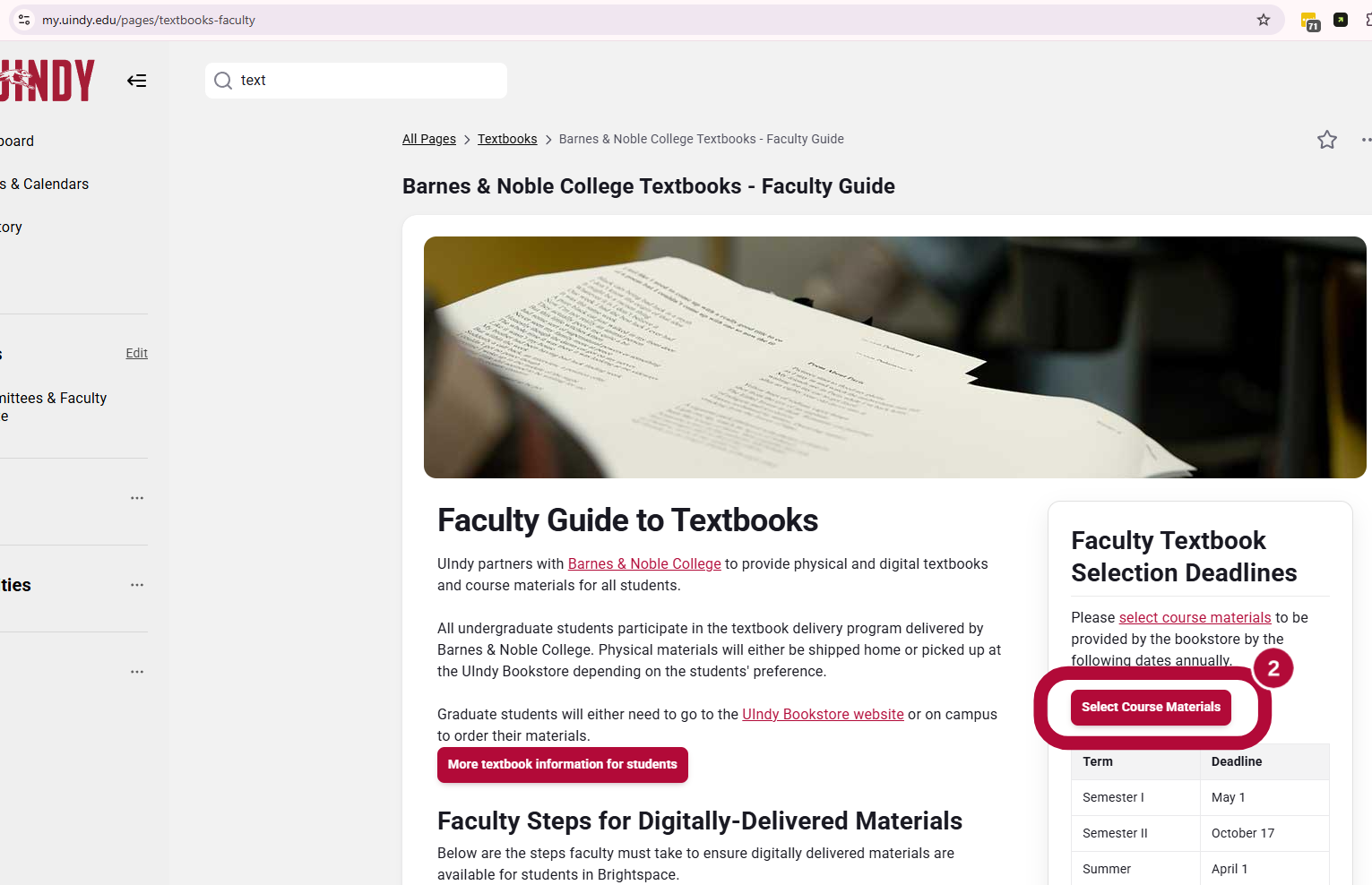
- In the Adoptions Portal, you will be shown the course sections that you are registered to teach for each semester. Select the Semester dropdown to ensure you are looking at the intended semester.
3 options for adoption
For each course you will have 3 options for adoption:
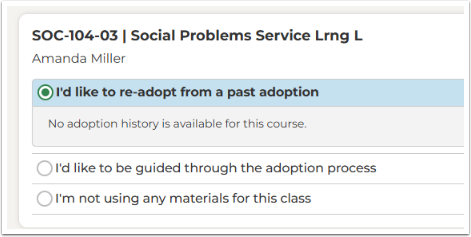
Option 1: I’d like to re-adopt from a past adoption
You will only be able to select I'd like to re-adopt from past adoption if a previous BNC adoption exists for the course.
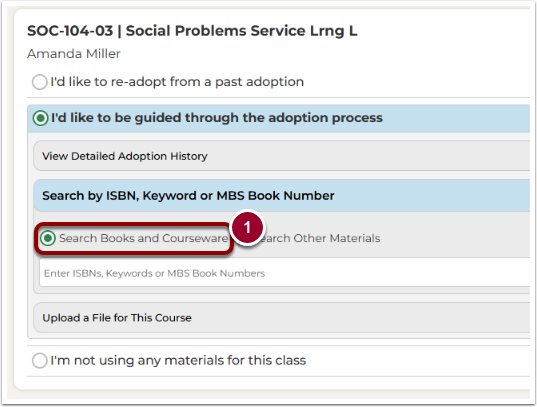
Option 2: I'd like to be guided through the adoption process
Through this guided process you can select 3 different options:
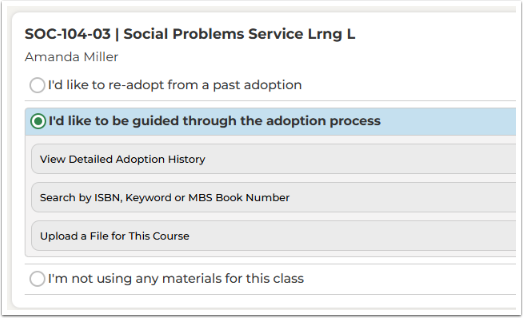
View Detailed Adoption History
Allows you to search through other similar adoptions.
Search by ISBN, Keyword or MBS Book Number
- To perform a basic search, select the button next to Search Books and Courseware
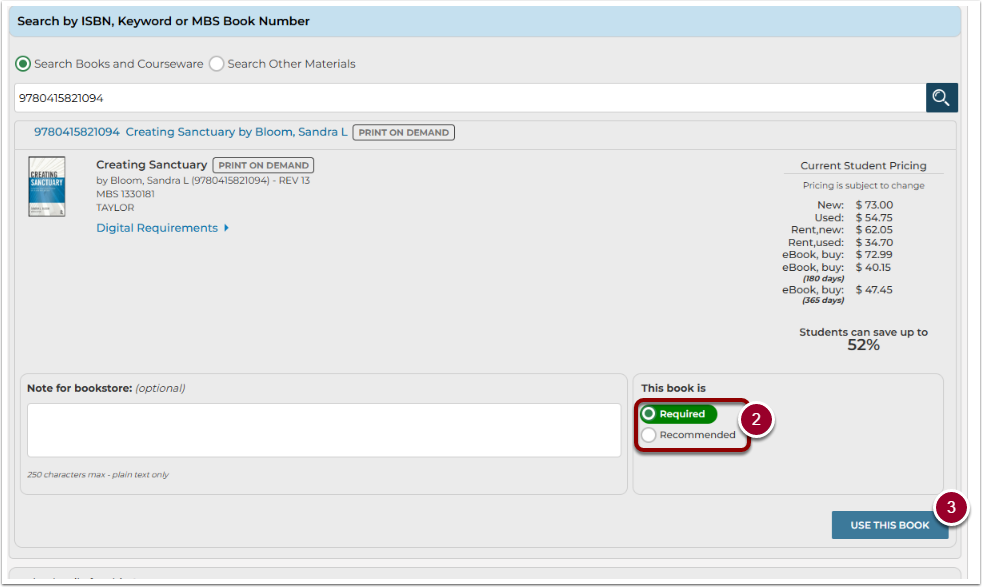
- When you locate the book you want, set the appropriate Required or Recommended flag.
- Click Use This Book button.
Upload a File for This Course
Upload a csv file if you have multiple adoptions for the same section to submit.
Option 3: I'm not using any materials for this class
- Indicate if you are using Open Education Resources (OER).
- Click Submit Adoption.

- Follow the prompts in the portal to finalize your selections. Be sure to click the Submit Adoption button for each course selection.
You will receive a separate email for each course materials selection from [email protected]. Check your UIndy email to make sure you've received an email for each course. If you don't receive an email, check the BNC portal to ensure they've made your selections and submitted them.