All full-time positions at the university are eligible for a new computer provided and maintained by UIndy IT. These computers carry a manufacturer warranty as well as accidental damage coverage for the first 3 years. Computers are replaced every 5 years.
During year 3 of the computer’s lifespan, IT will offer to perform a software refresh in order to provide the best possible experience for the remaining years. During the software refresh, computers would be checked for hardware issues, and we would resolve those while the device was still under warranty and accidental damage protection.
Find out when/if your UIndy computer is up for replacement
This information is available in UIndy Works.
- Navigate to works.uindy.edu
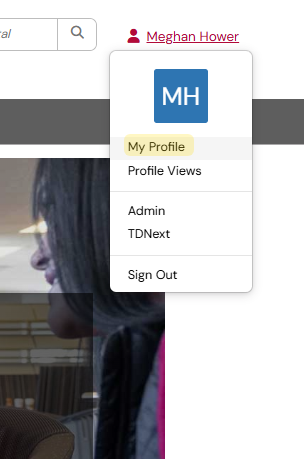
Click My Profile link.
- Scroll to the bottom of the page, under Details and Contact information. You'll see a My Assets section if you've been assigned a University computer.
Click on
your username, under the Asset column.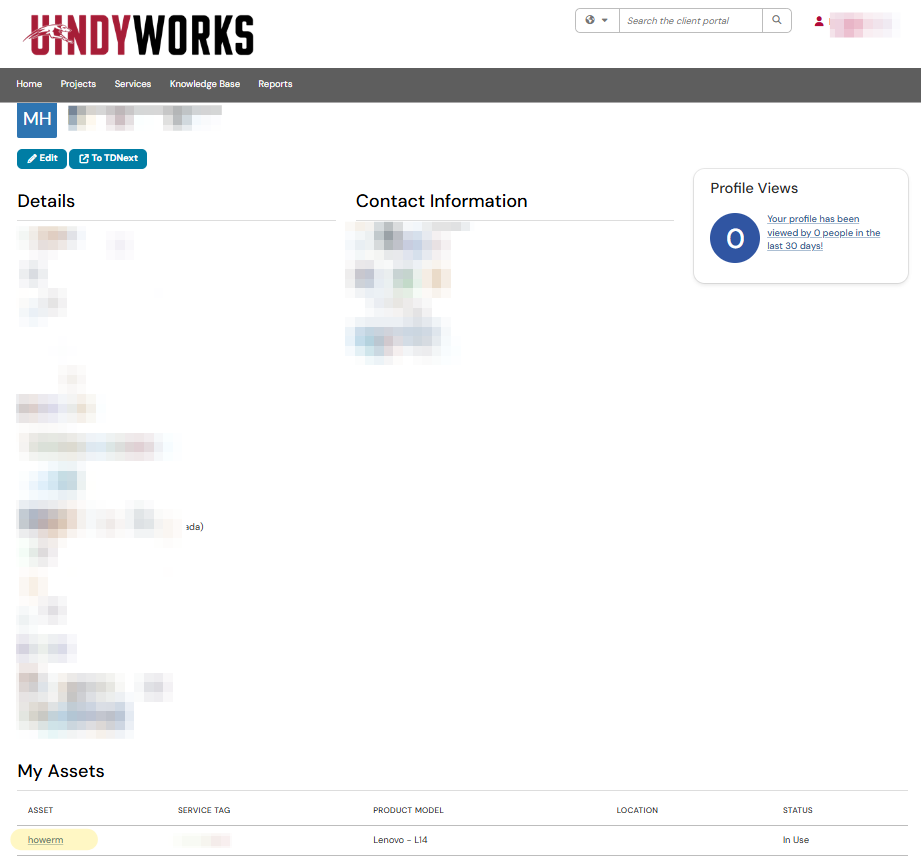
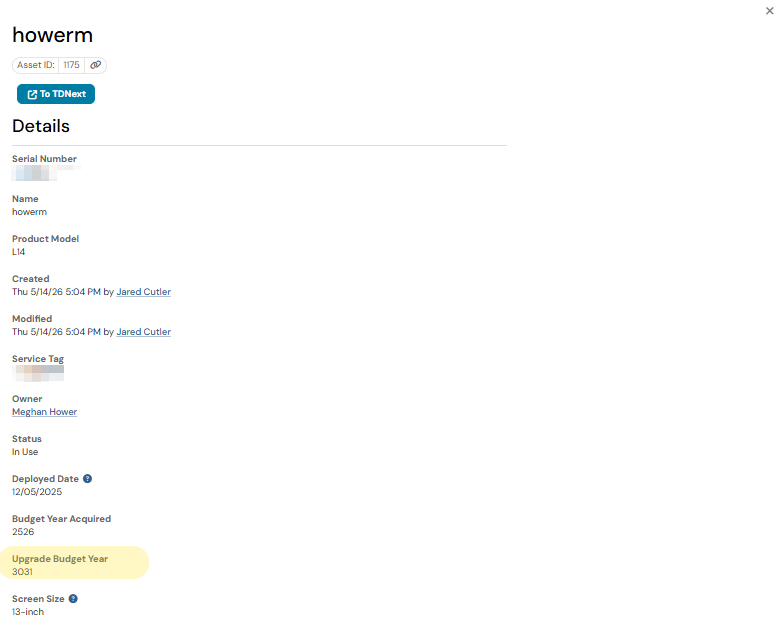
A separate window will appear. Here you will find all the details about your UIndy machine. The Upgrade Budget Year is the budget year your computer is up for replacement. So in this example, in 2030-2031 this computer is up for an upgrade (replacement).
Receive your new computer
UIndy IT will contact each individual slated for a new computer to set up an appointment time for the upgrade and reserves the right to hold your computer until all other upgrades have been completed, if no response is made. Upgrades may not be refused for any reason due to budget and security reasons.
Default installations on issued computer
- Microsoft Office
- Mozilla Firefox
- Google Chrome
- Safari (Macs only)
- Google Drive for desktop
- Adobe Acrobat DC
- Sophos Anti-Virus
- Alertus Desktop
- MirrorOp
Understand the computer replacement calendar
The calendar is set up to mimic the budget year as opposed to the calendar year. This section of the article is broken down by month, so you can quickly identify the current phase of the cycle.
Computer replacement timeline
July
- July 1: new budget begins
- Departmental lab hardware upgrades
August
- New hire faculty deployments: to be complete by the week prior to the start of Semester 1
- General teaching lab upgrades
September
- Faculty/staff deployments: start the 2nd full week of September and are ongoing until complete (based on inventory availability).
- Hand me downs are ongoing as need arises and equipment is available.
October
- Spring lab software configuration requests: Due to UIndy IT by October 15
March
- Fall & Summer lab software configuration requests: due to UIndy IT by March 15
- Faculty/staff deployments: begin mid-cycle computer checkups to catch any hardware issues before the warranty expires.
May-June
- Desktop upgrade requests for next budget year: Due to UIndy IT by May 15
Request alterations to the cycle
Any corrections, adjustments or exceptions to the replacement cycle must be submitted to department heads (Dean or VP) for approval. UIndy IT will then review the request to determine if alterations to the replacement cycle are warranted.