Pre-Award Processes
At this point, you will have already identified a funding opportunity (see Researching Funding Opportunities Guide) and are ready to save the opportunity in the system. In this section, you will learn how to navigate through the pre-award process. The pre-award phase consists of three (3) stages: Under Consideration, Application Preparation, and Application submitted. The following section outlines the policies and procedures for each stage of the Pre-Award Process.
Under Consideration
Policy
The first step in saving a grant is to save it as under consideration, meaning that you are interested in pursuing this funding opportunity but have not yet begun the process of developing your application. All UIndy faculty and staff must submit a request for approval to apply for external funding (grants or contracts) by the Office of Grants and Sponsored Programs (GSP) and their Department Head. The GSP is solely responsible for completing an eligibility check. The department head is responsible for approving the PI/PD’s request to apply for funding.
The following section will walk you through how to save a grant as Under Consideration and request the approval and eligibility check.
Procedure
PI/PD begins searching for grant funding using the research feature in Euna Grants (See Researching Funding Opportunities in Euna Grants).
Saving a Grant to a Project
- Once a funding opportunity is identified, the PI/PD saves the grant as a new project. The grant is marked as Under Consideration.
- Click the paper with floppy disc icon to save grant as a new project.

- Select the radio button next to Assign grant to a new project.
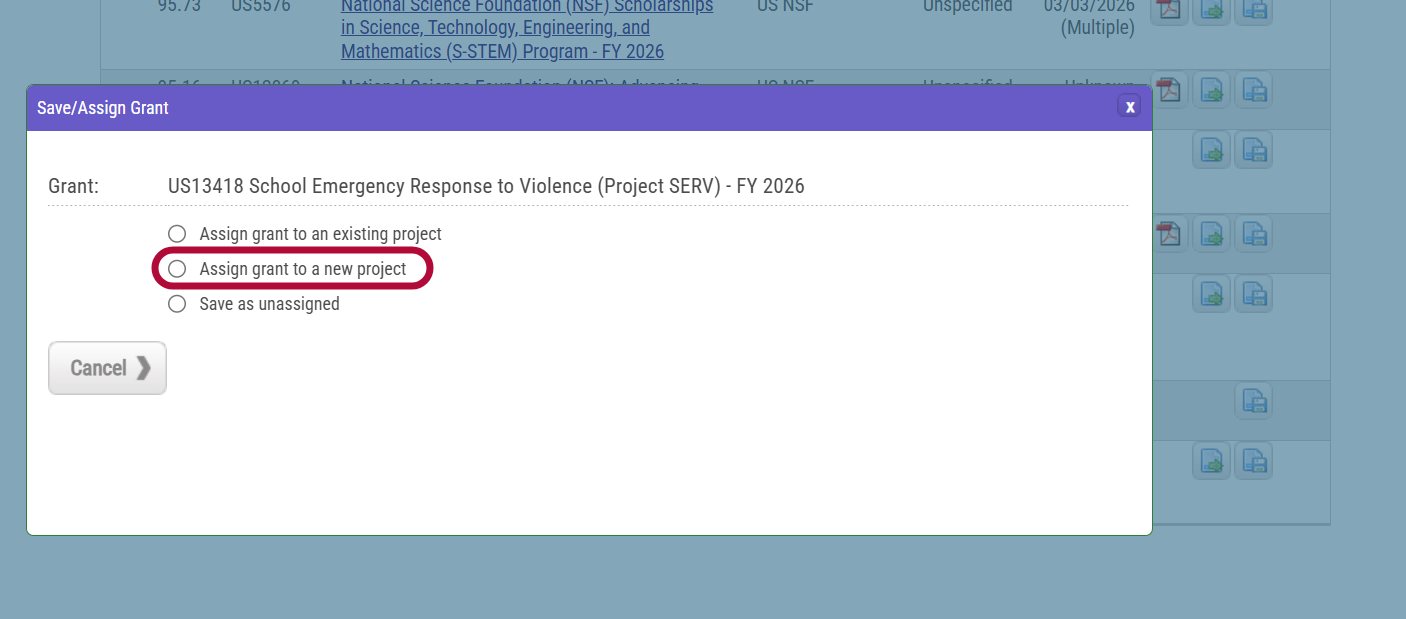
- Complete the New Project Form
- Department - select your department from the drop-down
- Project - this is the project title
- Project Lead - select the PI/PD's name
- Project Type - select Non-Construction
- Internal Project ID - leave blank
- Internal Project Name - leave blank
- Project Summary - provide a brief overview of the project
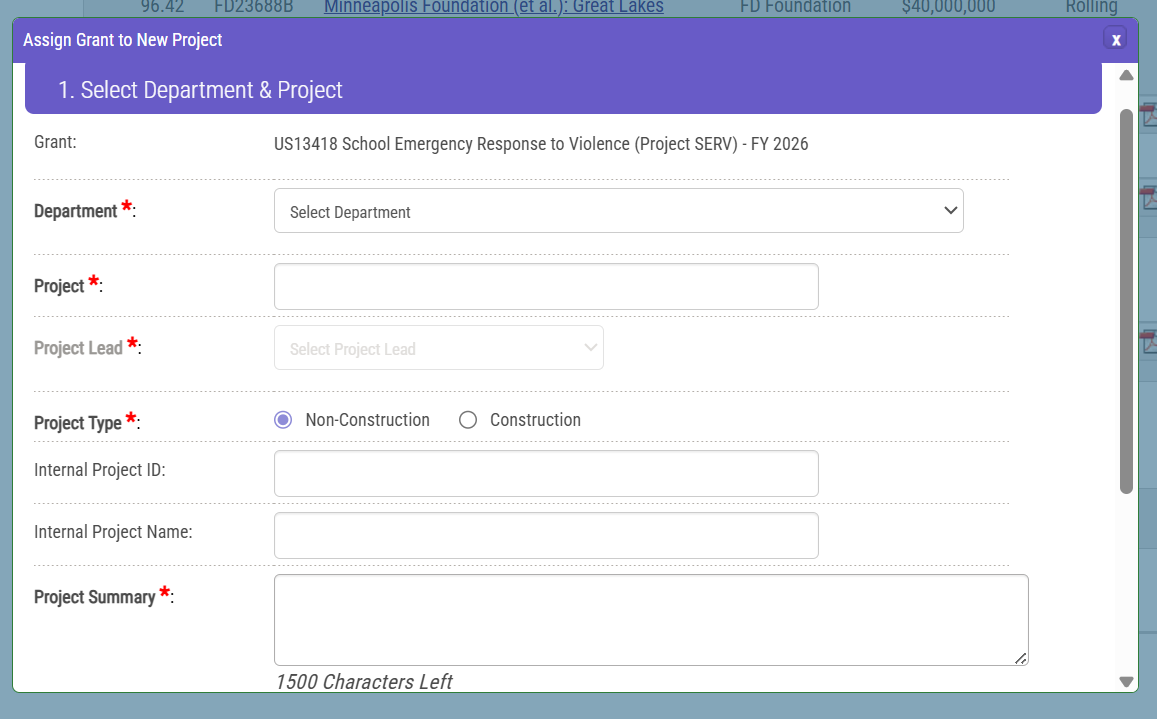
Select Funding Status
- Is an application required for this grant? select Yes
Select Grant Status
- Grant Status - select Under Consideration from the drop down menu
- Internal Grant ID - leave blank
- Internal Grant Name - leave blank
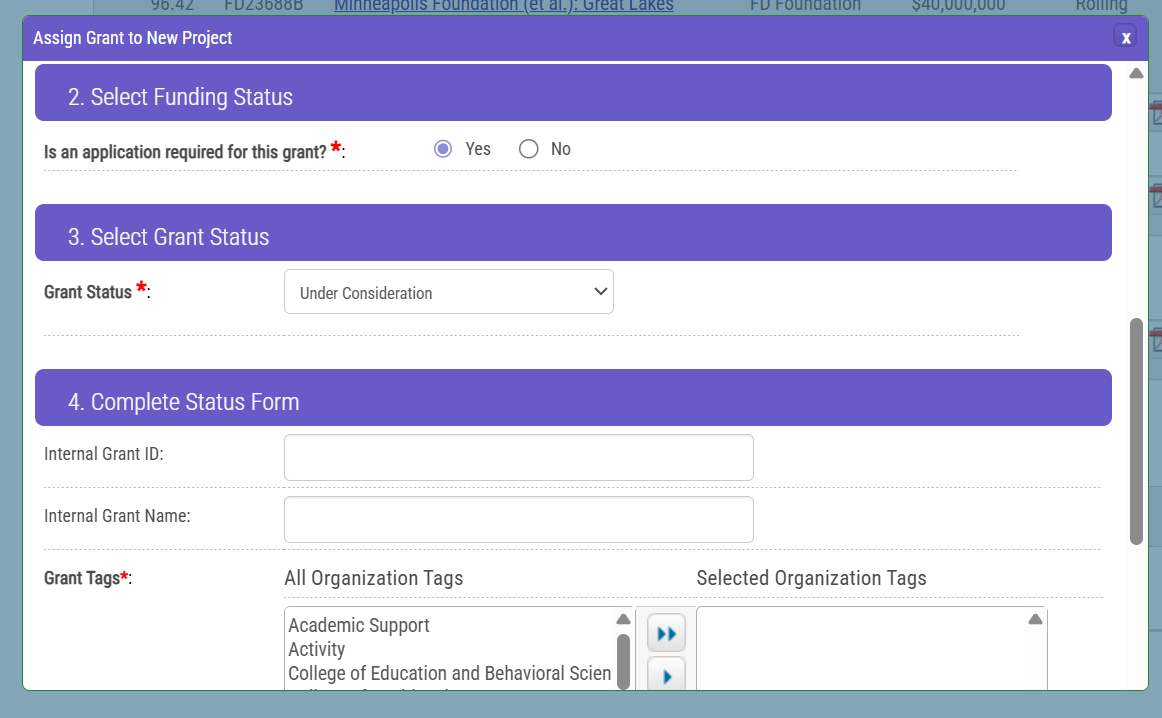
- Grant Tags - Select the tag you are wanting to add to highlight.
- Click the single right arrow button to add the tag.
- Selected Organization Tags - select your college/school and the type of project this will be. If this is local funding, select Local Foundation.
- Notes - add any notes/additional (e.g. is tihs a new project, continuation? Any Co-PI/PDs or partners?)
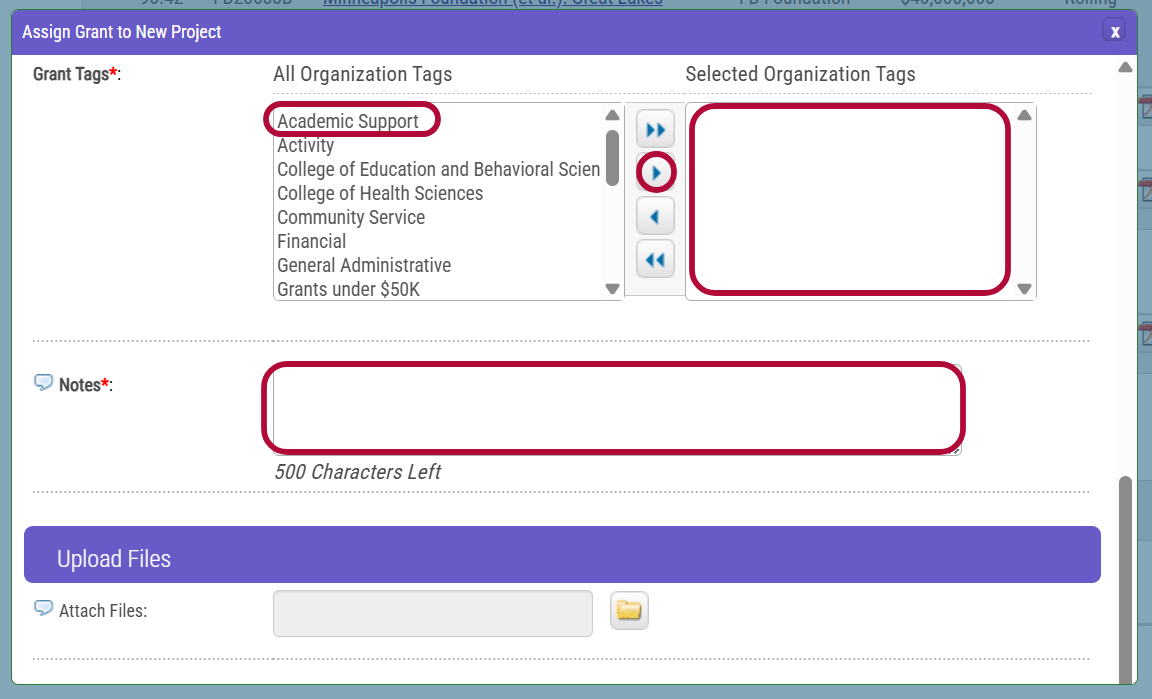
Uploading Files
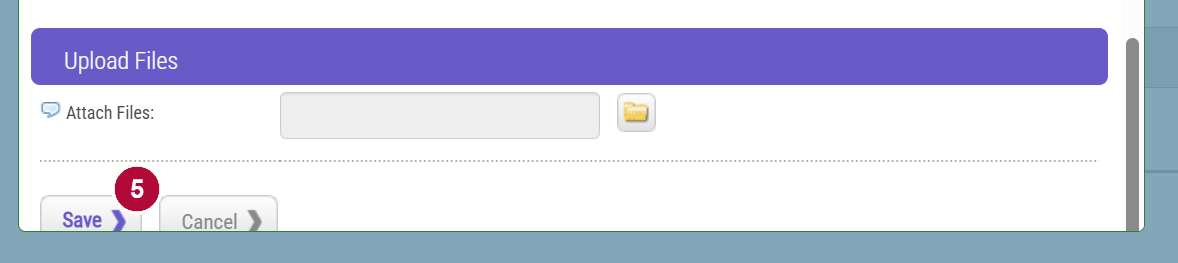
- Attach Files - attachments are not required, but you can upload any supporting documents that may be helpful when reviewing
- Click Save button.
Request Approval to Apply
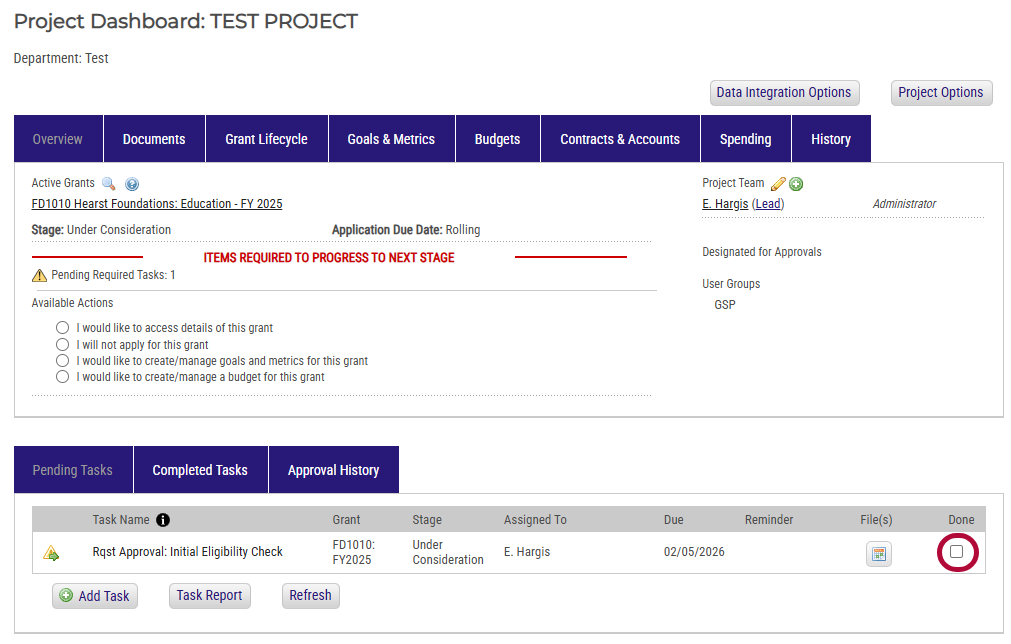
The PI/PD completes the required Eligibility Check task under the project and Local Grant Approval task, if applicable.
- To complete a task, click the check box under done.
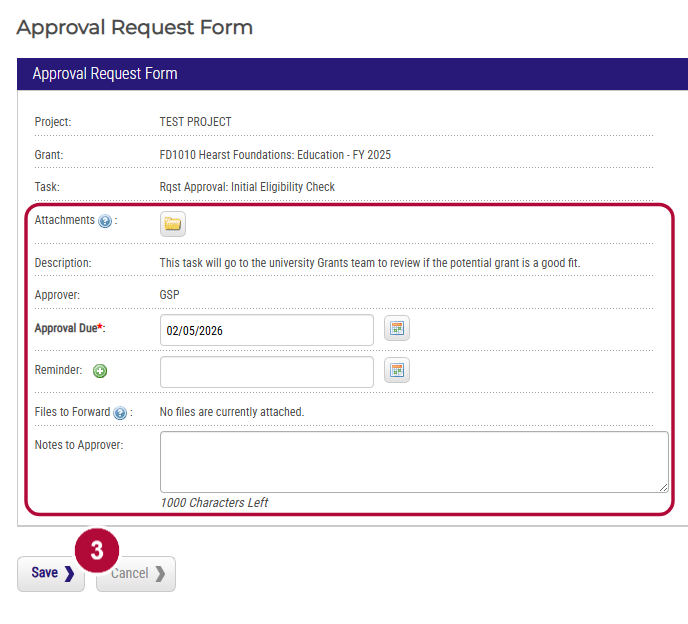
- Complete the approval request form by attaching all relevant documentation and support, filling in the date you need approval by (for budget approval, please give 10-days) and adding any notes you would like the approver to see (e.g., why are you requesting approval).
- Attachments - click the folder icon to attach documents
- Approval Due - select approval date
- Notes to approver - enter noted to approver
- Click Save.
- The GSP is then assigned to review the eligibility criteria and approve the request, if eligible to apply.
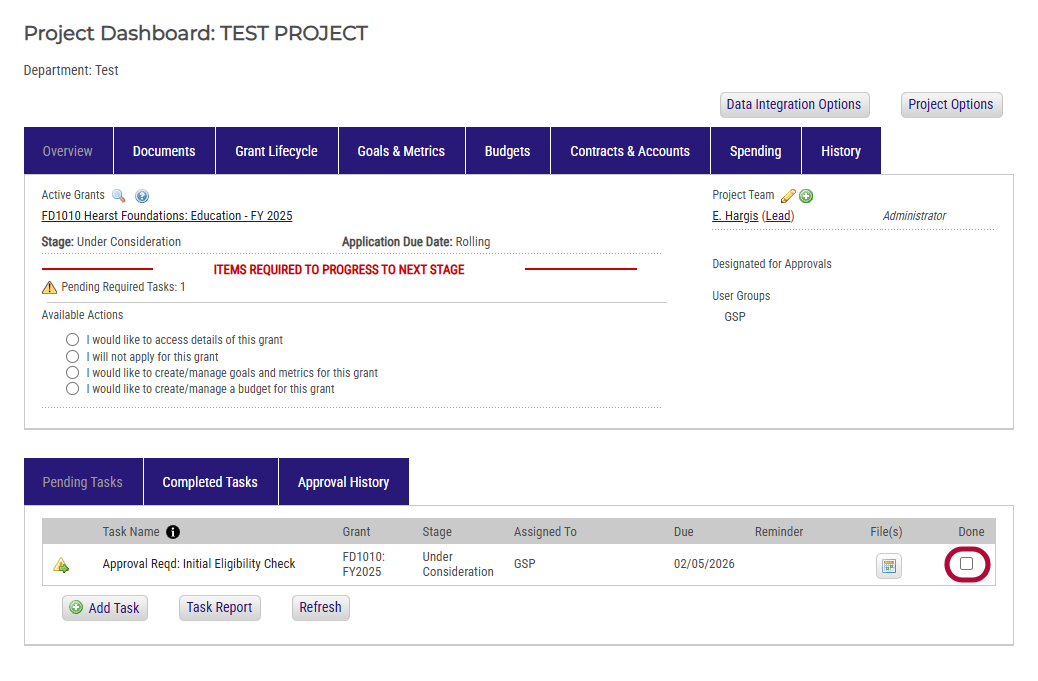
- The Department Head and/or Dean is notified to review the approval request. They will follow the below steps:
- Click the check box under done.
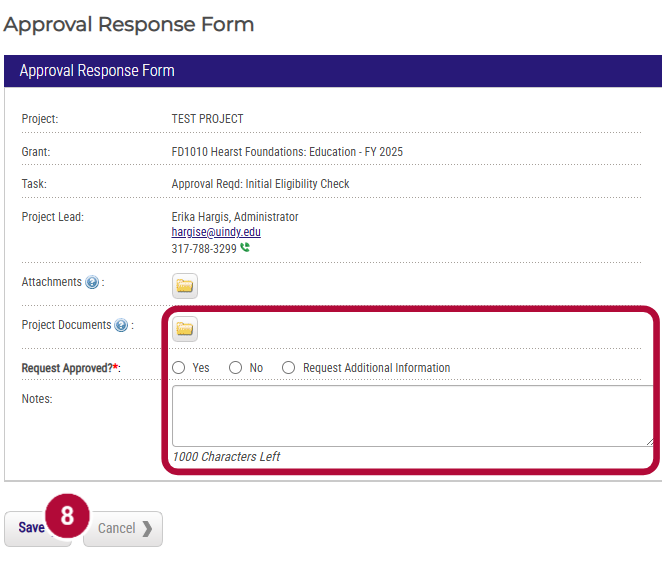
- Complete the approval response form
- Project Documents - review any project documents the PI/PD attached to the request
- Request Approved? indicate whether this request is approved or if you need addtional information
- Notes - enter any notes from the PI/PD, if applicable
- Click Save.
PI/PD will be notified via email by Euna whether approved, denied, or additional information is needed. Once approved, follow the steps in the Application Preparation section.