Once approval to apply is received, the individuals (PI/PD) will need to move the grant to the Application Preparation stage. During this stage, the PI/PD will request budget approval in the system.
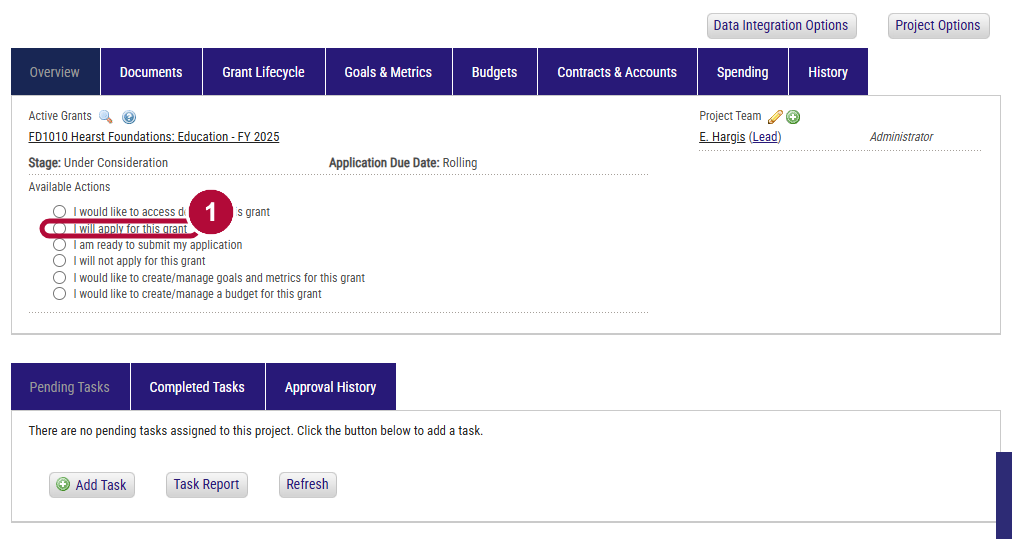
- Select the radio button I will apply for this grant under Available Actions.
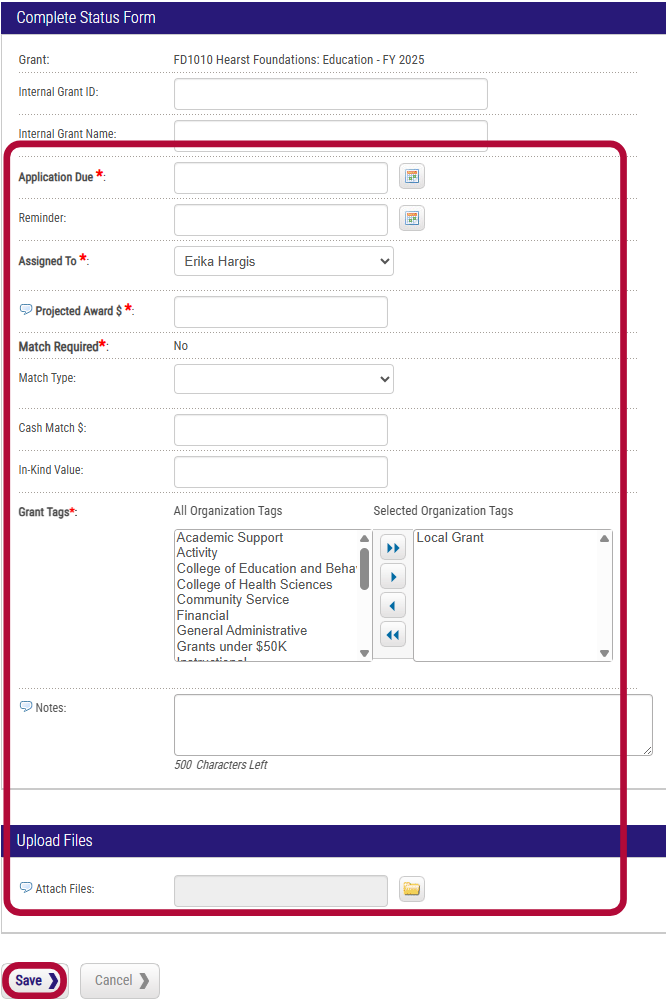
- Complete the application preparation form and select Save.
- Internal Grant ID: leave blank
- Internal Grant Name: leave blank
- Assigned To: update if project lead has changed
- Projected Award $: enter anticpated amount you are applying for
- Match Required: add any additional grants tags as needed
- Match Type: add any additional grants tags as needed
- Cash Match $: add any additional grants tags as needed
- In-Kind Value: add any additional grants tags as needed
- Grant Tags: add any additional grant tags as needed
- Notes: enter any notes for your application
- Attach Files: upload any relevant files
The project dashboard will now dispay Stage: App. Preparation and should have 2 new pending tasks.
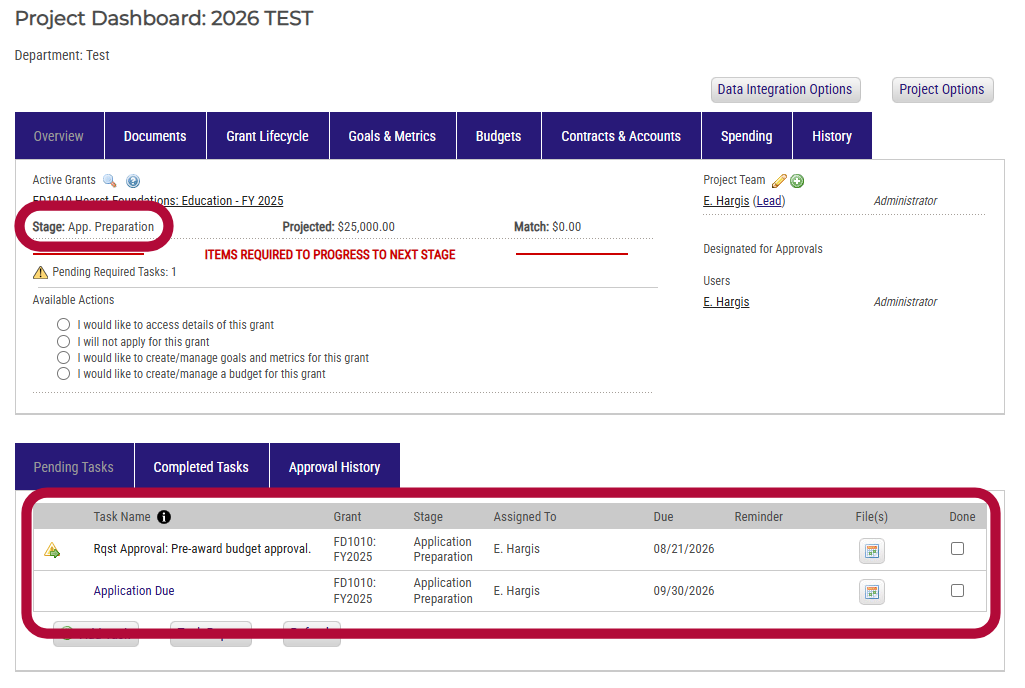
- The Rqst Approval: Pre-Award Budget Approval will automatically populate to be due the day after you moved to App. Preparation stage. All grant budgets must be submitted for review and approval 10-business days prior to the external deadline. The GSP will update the deadline.
- The items under Available Actions will now update to reflect the new stage.