By default, web-based versions of Microsoft 365 apps (e.g., Word, Excel, PowerPoint) files are saved on OneDrive.
Installed versions of Microsoft 365 apps (e.g., Word, Excel, PowerPoint) files can be saved at the location of your choosing, we recommend Google Drive.
Download content out of OneDrive
You can download files and folders from OneDrive or SharePoint Online to your computer with just a few clicks.
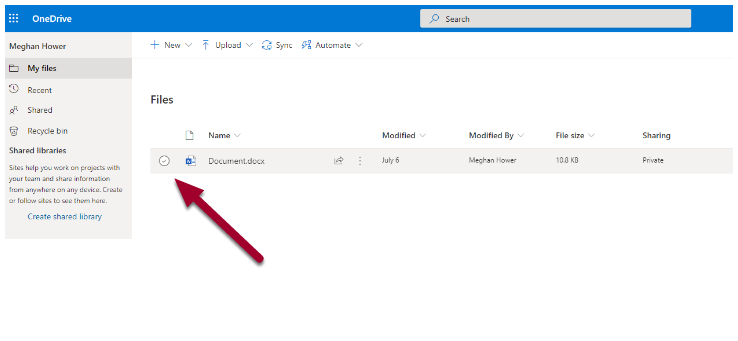
- On your OneDrive or SharePoint Online website, select the file or folders you want to download by clicking on the radio button next to file/document.
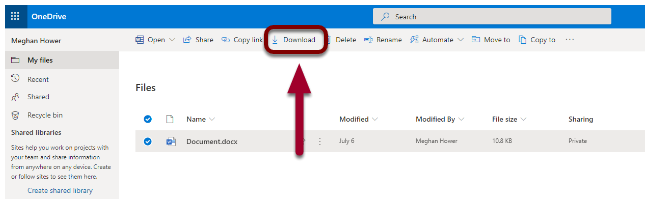
- Select Download.
- If your browser prompts you, choose Save or Save As and browse to the location where you want to save the download. Some browsers just start saving right away to a Downloads folder on your computer.